The Christmas Load ✦ 2026
For the person running a career and a home who wants Christmas organised, not perfect.
One interactive planner for gifts, budgets, meals, events and the end of the school year, with your own Christmas assistant in Claude or ChatGPT.
If you're already juggling presents, end-of-year events, food, budgets, travel and somehow still expected to enjoy it, you're not alone. Most mums carry the invisible weight of making Christmas magical for everyone else. By the time the day arrives, you're exhausted before it even starts.
If you've checked even one of these boxes, I built the Christmas Load just for you.
Imagine actually enjoying the festive season.
No more scattered notes, forgotten lists, or last-minute supermarket dashes. Just a calm, clear plan you can follow from now until Boxing Day.
Bring last year's spreadsheet, the kids' wish lists or everything currently running through your mind. The guided prompts help you work out what's missing and turn it into a plan. See what's sorted, what's missing and what needs doing next, so you can enjoy the season too.
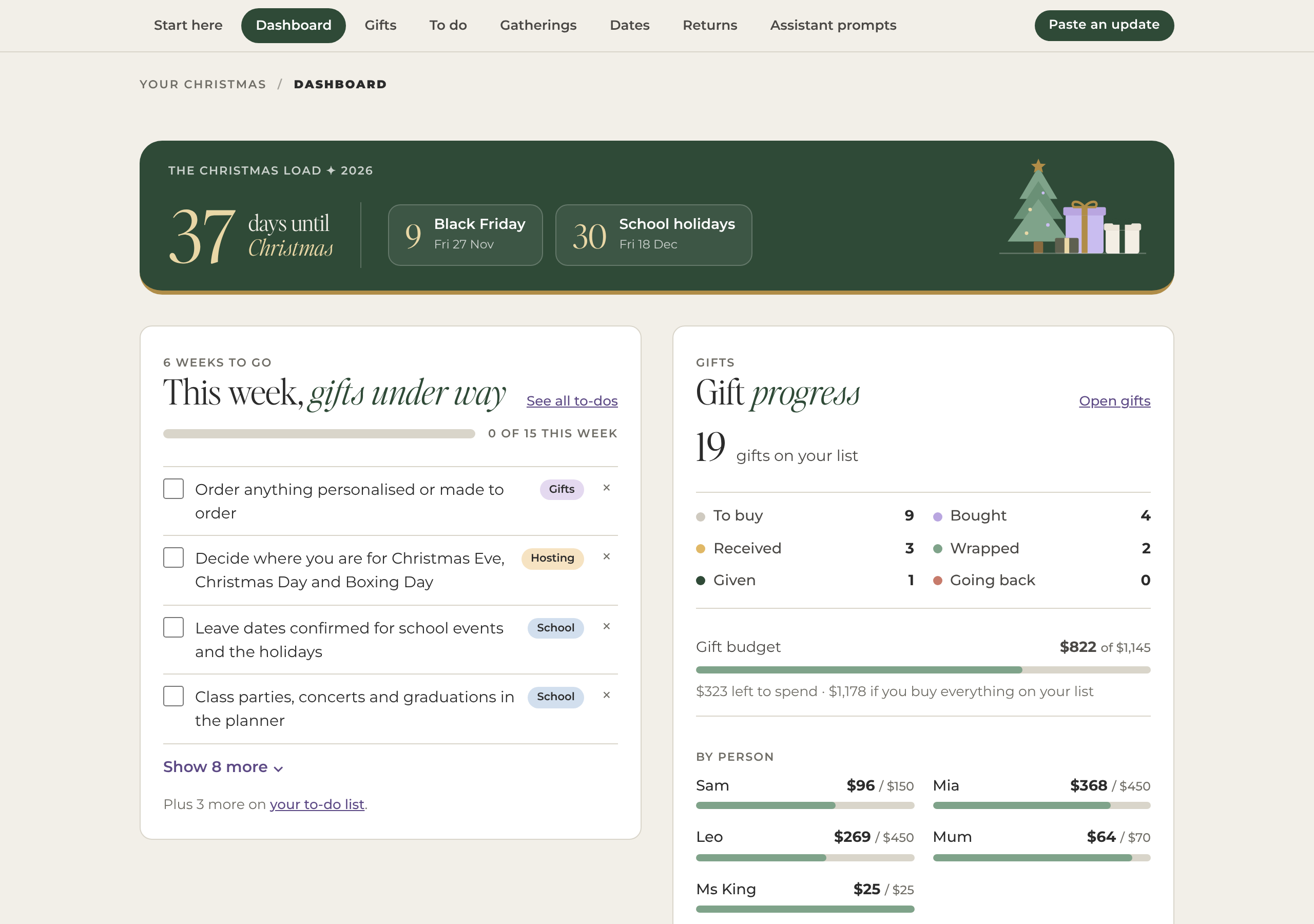
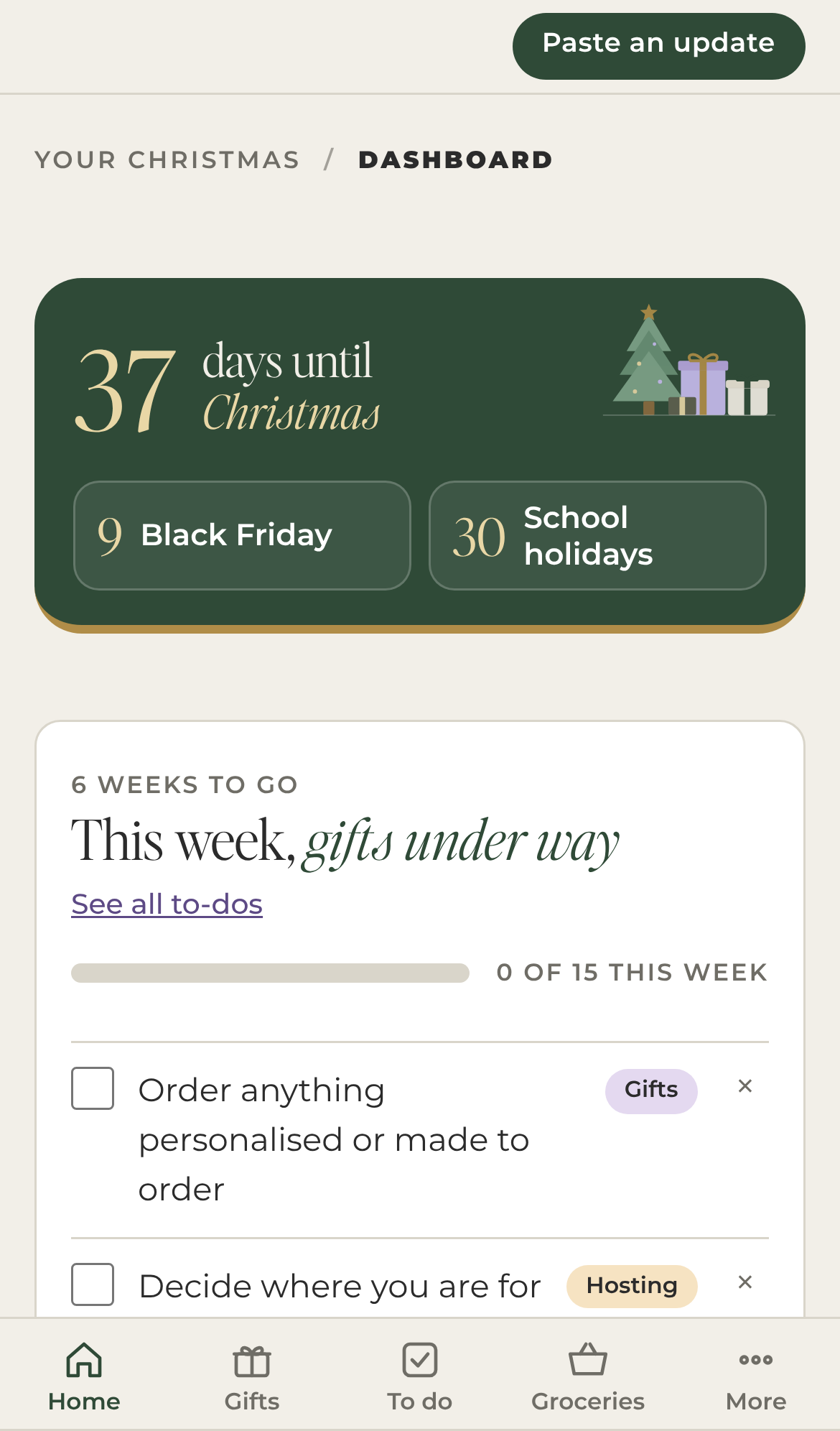
Your Christmas dashboard brings the countdown, this week’s to-dos, and every gift from to buy to given into one place—everything else can wait.
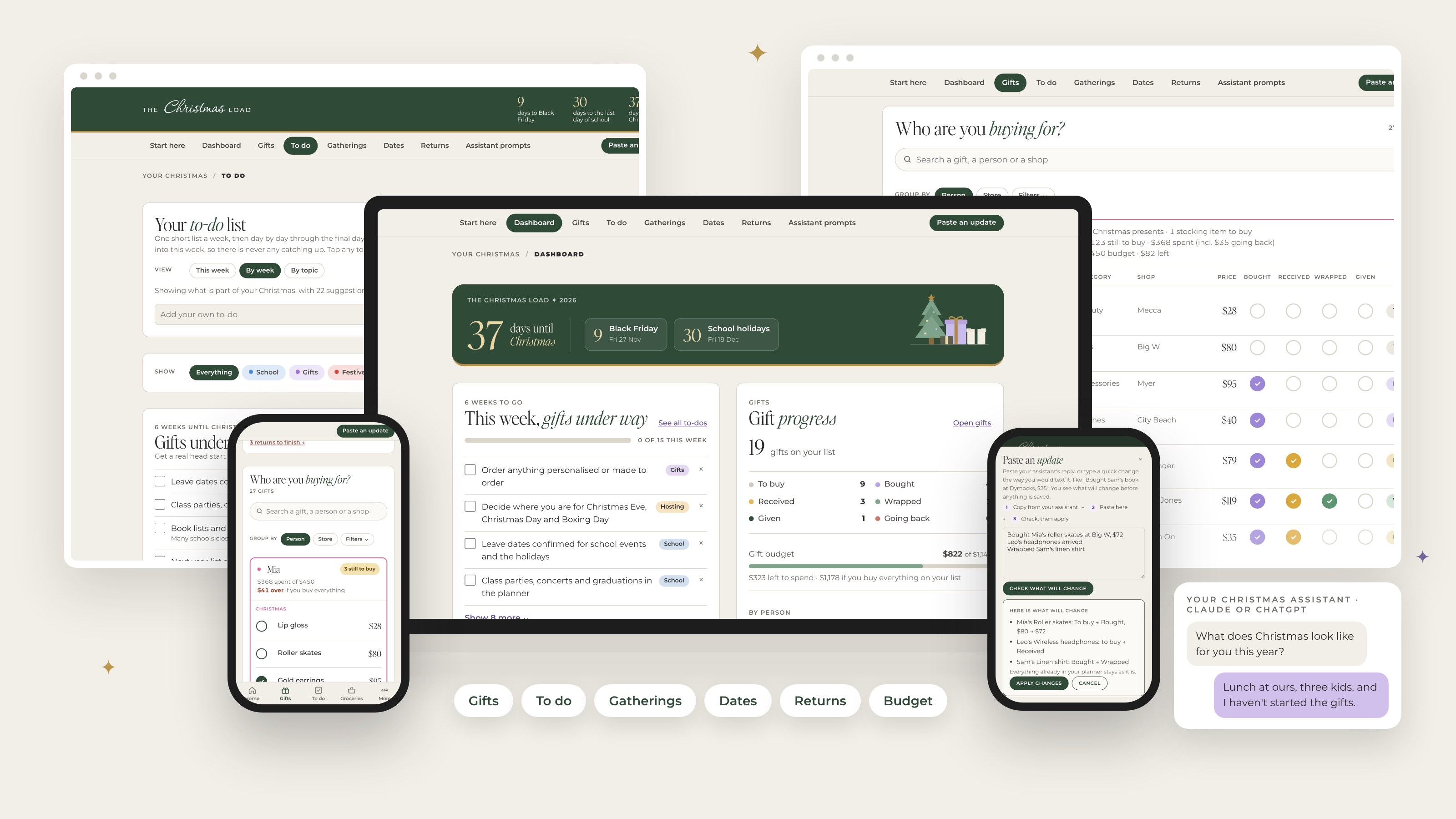
A calm, clear plan you can follow from now until Boxing Day.
Plan spending per person and track every gift from "to buy" through to "given", including stockings, teacher gifts and birthdays near Christmas.
Every gathering in one place: menus, who’s bringing what, pre-orders and your grocery list, whether you’re hosting or taking something to share.
Weekly checklists plus day-by-day prep, with school dates, events and your own appointments in the picture.
Black Friday shopping lists categorised with links. Track swaps, return deadlines and refunds still owing.
Guided setup and ready-made prompts so you're never starting from scratch.
Your people, budgets and gift lists carry over, so next year starts with what you gave and spent, not a blank page.
Sign in through a secure link sent to your email.
Your assistant in Claude or ChatGPT asks a few questions and writes your plan. Paste it in and your planner fills itself. Prefer to type? You can do it yourself.
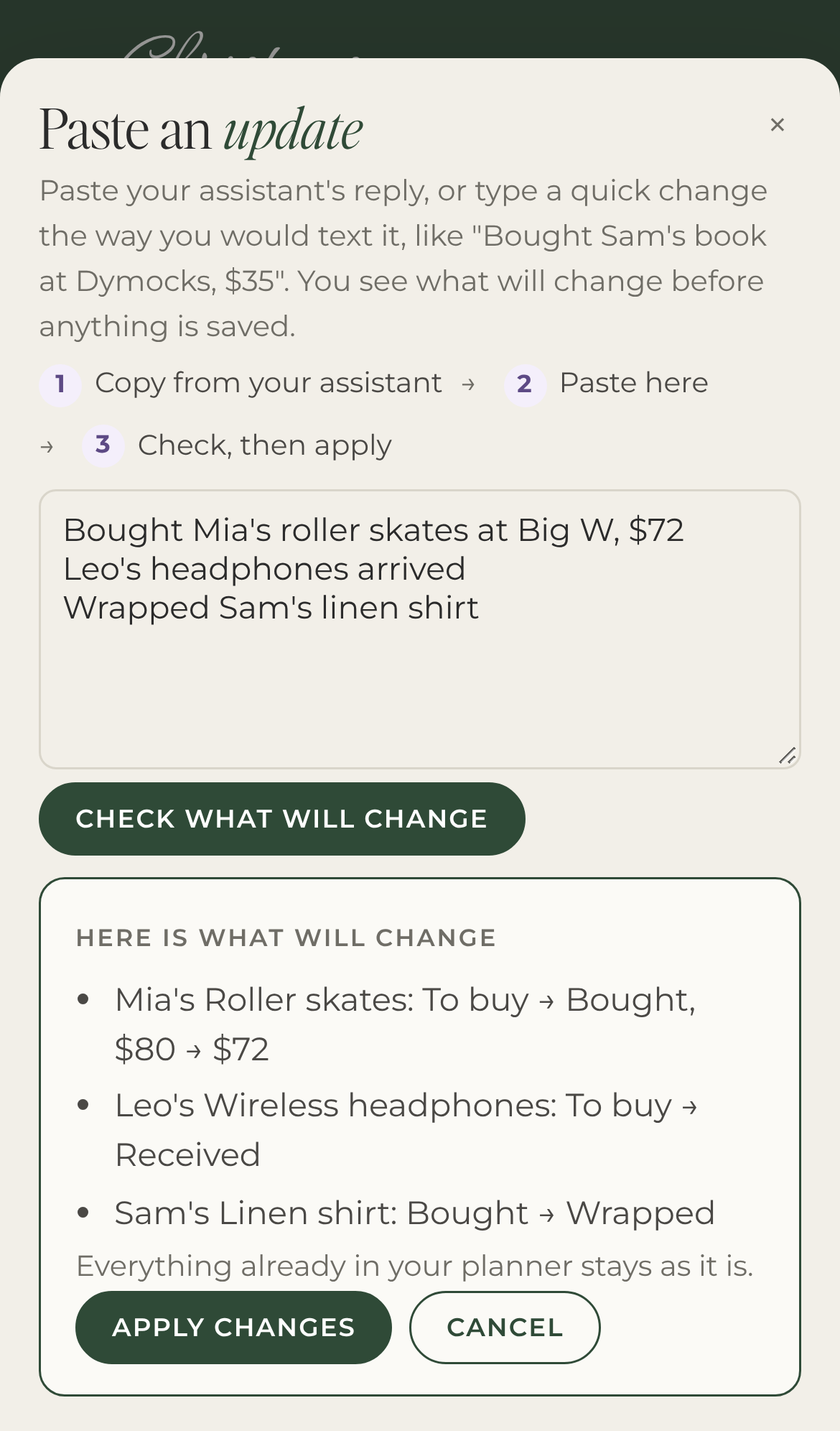
Tick things off yourself, or ask your assistant for help and paste its update into your planner.
Type “Bought Mia’s roller skates at Big W, $72” and your planner shows you exactly what will change before anything does. One tap to apply, and one tap to undo.

“I’ve been piecing together spreadsheets and to-do lists for years. Now it’s finally all in one planner, and my Christmas assistant does the thinking with me.”
I’m Jacquelina, founder of The Modern Load and a mum of three. I spent years helping thousands of teachers and students adopt technology. Now I show women running a career and a home how to make AI carry some of the load.
The Christmas Load ✦ 2026
Instant access. One-time purchase. Your own Claude or ChatGPT account is required to use the assistant.
For the Christmas assistant, yes. It works with the Claude or ChatGPT account you already have, and the setup steps walk you through both. The planner itself works on its own too, if you'd rather tap things in.
No. It opens in your phone or laptop's browser. Add it to your home screen and it opens like an app, on iPhone and Android.
No, it's an interactive planner that saves as you go. You can download a spreadsheet copy at any time if you'd like one.
Yes. Your planner is saved privately to your account and only you can see it. We suggest first names only, and the setup shows you how to switch off model training in Claude and ChatGPT.
Yes. Your people, budgets and gift lists carry over, so next Christmas starts with what you gave and spent this year rather than a blank page. You can also download your planner as a spreadsheet and keep a backup copy.
Your planner covers this Christmas and next, through to 31 December 2027. Your lists stay saved, so next year you can pick up where you left off.
7-day money-back guarantee. If The Christmas Load isn’t right for you, email hello@themodernload.com within seven days of purchase. Tell me what isn’t working and I’ll see if I can help, or simply ask for a refund and you’ll get one in full. This is in addition to your rights under Australian Consumer Law.
Yes. Enter their email at checkout instead of yours, and the planner and welcome email go straight to them.
Use the email you bought with. Your purchase can take a minute or two to come through, so try again shortly. Still stuck? Reply to your receipt and we’ll sort you out.